
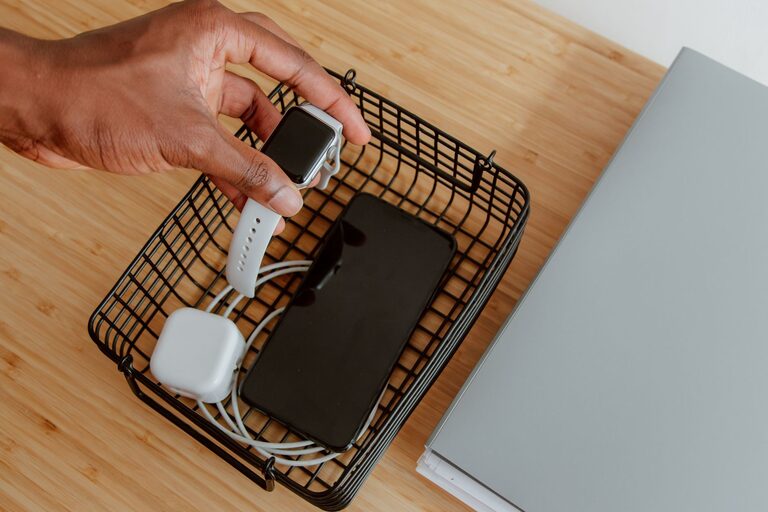
Setting up a dedicated charging station for your devices can simplify your daily routine and help keep your space clutter-free. Whether you have smartphones, tablets, wireless earbuds, smartwatches, or other gadgets, a well-organized charging station brings convenience and efficiency.
In this post, we’ll guide you through the essential steps to create your own charging station that fits your needs and space.
Why Have a Charging Station?
Before diving into setup tips, it’s helpful to understand the benefits of having a centralized charging area:
– Organization: Avoid tangled cables and scattered chargers.
– Efficiency: Charge multiple devices at once without searching for outlets.
– Protection: Keep devices safely in one place while charging.
– Aesthetics: Maintain a clean, tidy look on your desk or countertop.
Step 1: Choose the Right Location
The first step is picking the best spot for your charging station. Consider the following:
– Accessibility: Choose a location that’s easy to reach, such as your desk, kitchen counter, or nightstand.
– Power Source: Make sure there’s a convenient electrical outlet nearby.
– Space: Select an area large enough to hold your devices comfortably.
– Safety: Avoid places that might expose devices to moisture or heat.
Step 2: Gather Your Equipment
You’ll need some basic items to get started:
– Power Strip or Charging Hub: Look for a surge-protected power strip with multiple USB ports or a multi-device charging hub.
– Charging Cables: Collect all cables you regularly use, including USB-C, Lightning, or micro-USB cables.
– Cable Management Tools: Use cable clips, ties, or sleeves to prevent tangles.
– Device Holders or Stands (optional): These help keep devices upright and visible while charging.
Step 3: Select the Charging Method
There are various ways to set up charging:
USB Charging Hub
A USB charging hub connects multiple devices to a single power source. Choose one with enough ports to meet your needs, ideally with fast-charging capability for compatible devices.
Wireless Charging Pads
If your devices support wireless charging, consider a wireless charging pad or stand. These reduce cable clutter but may be limited to fewer devices at once.
Combination Setup
You can mix wired and wireless chargers in your station to accommodate different gadgets.
Step 4: Organize Your Cables
Managing cables is key to a neat charging station:
– Label Your Cables: Attach small labels to identify which cable belongs to each device.
– Use Cable Clips or Holders: Secure cables along the edge of your desk or wall to keep them from slipping.
– Bundle Excess Cable Length: Wrap leftover cable length with velcro ties or rubber bands.
– Consider a Charging Dock with Built-in Cable Storage: Some docks have compartments to hide cables out of sight.
Step 5: Arrange Your Devices
Place your devices on the station thoughtfully:
– Keep frequently used devices within easy reach.
– Use stands or holders to keep devices visible and upright.
– Avoid stacking devices on top of each other to prevent heat buildup.
Step 6: Maintain Your Charging Station
Keep your charging station in good shape with regular maintenance:
– Check Cables and Chargers: Inspect for wear or damage and replace as needed.
– Clean the Area: Dust and wipe down surfaces to keep everything neat.
– Update Devices: Unplug devices once fully charged to save energy and prolong battery life.
Additional Tips
– Safety First: Avoid overloading power strips and ensure chargers are from reputable brands.
– Portable Option: Create a portable charging station with a power bank and compact charger for travel.
– Personalize It: Add a small plant, decorative tray, or other items to make the station visually appealing.
Conclusion
Setting up a dedicated charging station is an easy way to improve the organization and efficiency of your device charging. By choosing the right location, gathering appropriate equipment, managing cables, and maintaining your setup, you can create a convenient hub that keeps your gadgets powered up and your space tidy.
Ready to get started? Gather your chargers and cables, select your favorite spot, and enjoy a clutter-free charging experience!